
English 


Author: Site Editor Publish Time: 2026-09-30 Origin: Site


Diagnostic visibility directly correlates to patient case acceptance across modern dental practices. Today, patients need to see exactly what you see before they feel comfortable committing to complex treatment plans. Consumer-grade computer screens simply cannot meet the strict demands of clinical diagnostics or effective patient communication. Practice owners and dental service organizations (DSOs) require purpose-built hardware designed specifically for the unique operatory environment. Without the right technology, you risk losing patient trust and leaving crucial diagnostic details unnoticed.
This comprehensive guide breaks down the essential features and implementation realities of a clinical-grade setup. We will explore key vendor evaluation criteria for selecting a system. Ultimately, you will learn how to choose hardware to support both diagnostic accuracy and long-term patient trust. You can transform your daily consultations into highly effective, visually driven educational sessions.
A purpose-built dental imaging computer system increases case acceptance by translating complex diagnostics into clear, visual patient evidence.
Clinical evaluation requires assessing DICOM compliance, contrast ratios, and anti-glare technology to prevent image misinterpretation.
Hardware must meet rigorous infection control standards (e.g., IP65 ratings) to withstand frequent chemical wipedowns without degrading.
Seamless integration with existing practice management software (PMS) and AI-assisted diagnostic tools prevents workflow bottlenecks.
Partnering with an experienced dental monitor system supplier ensures long-term hardware reliability, mounting compatibility, and technical support.
Relying on verbal explanations creates immediate friction during clinical presentations. Small screens frustrate patients. Low-resolution displays invite skepticism during expensive treatment discussions. You cannot simply tell a patient they need a crown or implant. You must show them exactly why they need it. Patients lack formal dental education. They cannot visualize microscopic fractures or early-stage caries based on words alone. This communication gap often leads to delayed treatments. Patients want to go home and "think about it" when they do not fully understand the clinical problem.
A high-quality patient consultation monitor actively bridges this knowledge gap. It provides undeniable visual evidence. Patients can independently verify micro-fractures on a large screen. They easily see hidden decay or bone loss when magnified. Visual evidence builds immediate, unshakeable trust. It validates your clinical recommendations perfectly. When patients look at a crisp, high-definition image, the abstract diagnosis becomes a concrete reality. They stop questioning the necessity of the procedure. Instead, they begin asking how to fix the problem. This shift in mindset transforms the entire consultation dynamic.
You should view this hardware as a revenue-generating tool rather than a basic IT expense. A proper clinical display delivers measurable returns. You can track specific metrics to evaluate your investment success. Practice owners usually observe improvements across several key performance indicators.
Increased Case Acceptance Rates: Patients approve treatments faster when they see the evidence clearly.
Reduced Consultation Times: Visual aids eliminate the need for long, repetitive verbal explanations.
Improved Patient Retention: Transparent communication builds loyalty. Patients appreciate dentists who educate them openly.
Higher Treatment Values: Patients opt for comprehensive restorative work when they comprehend the full scope of their oral health issues.
Consumer screens fail miserably in clinical environments. They lack DICOM Part 14 compliance. This medical standard ensures accurate grayscale rendering. Radiographic interpretation demands precise contrast mapping. Without it, you might miss subtle apical lesions or early bone loss. A proper dental consultation display solves this problem completely. It calibrates grayscale values to exact medical standards. Every pixel accurately reflects the density captured by your X-ray sensor.
We must also evaluate brightness and contrast ratios carefully. Dental operatories feature extremely bright overhead surgical lights. Standard office screens wash out under these harsh conditions. You need displays offering high nits (typically 350 or higher). They maintain deep contrast in brightly lit rooms. Panel technology also plays a crucial role here. In-Plane Switching (IPS) and Organic Light-Emitting Diode (OLED) panels provide excellent performance. They offer 178-degree viewing angles. Both you and the patient see an undistorted image simultaneously. You can sit side-by-side during consultations. The image remains clear, accurate, and properly saturated from any angle.
Operatory equipment faces incredibly harsh daily conditions. Your hardware must meet strict medical-grade certifications. IEC 60601-1 compliance ensures proper electrical safety in patient vicinities. It limits electrical leakage currents. This standard protects both staff and patients during procedures. You cannot safely mount standard office electronics near a dental chair.
Ingress protection remains equally critical for clinical longevity. Your team wipes down screens constantly between appointments. Harsh sterilization chemicals degrade standard consumer plastics quickly. Fluid ingress ruins internal electronic components. You must choose hardware featuring an IP65-rated front panel. It resists fluids and aggressive chemical damage effectively. Protective glass adds another vital layer of defense. Hardened, edge-to-edge glass prevents long-term screen degradation. It simplifies your daily infection control protocols. Staff can clean the smooth surfaces quickly without worrying about damaging the delicate LCD panel underneath.
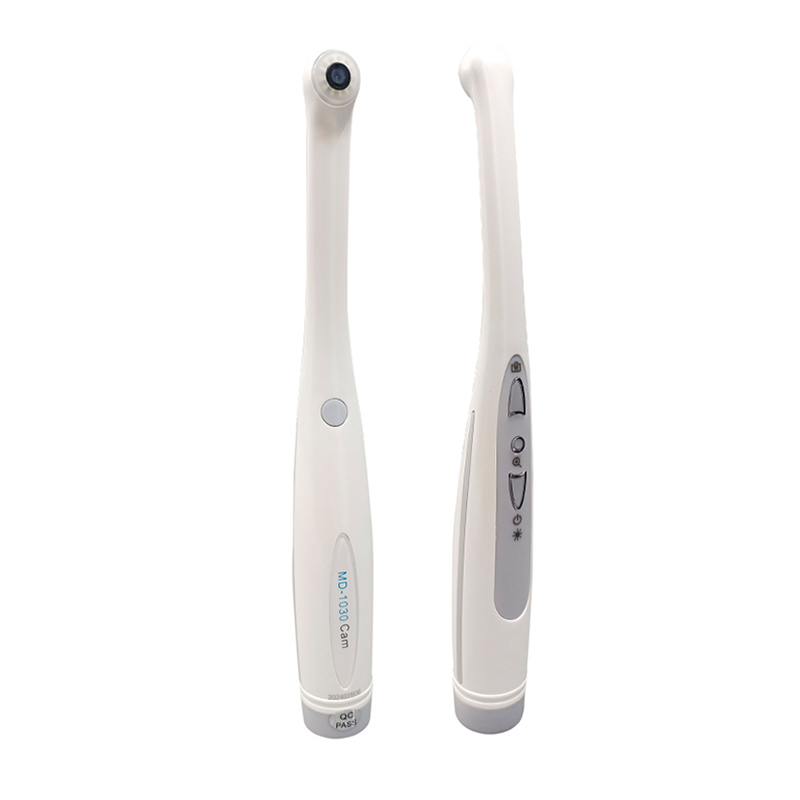
You must unify your disparate operatory hardware into a single ecosystem. Your dental imaging computer system acts as this central communication hub. It needs to support zero-latency video feeds perfectly. Any standard intraoral camera system manufacturer should connect flawlessly to your setup. You also need high-resolution feeds from CBCT scanners. Panoramic X-ray units must integrate seamlessly into the workflow. When you move an intraoral camera inside the mouth, the screen must display the video instantly. Any delay or stuttering ruins the patient experience and complicates clinical navigation.
Evaluate the available input and output interfaces closely. Consider both legacy and modern port requirements. HDMI and DisplayPort handle uncompressed high-resolution video streams. USB-C provides simultaneous power delivery and rapid data transfer. Local Area Network (LAN) ports ensure highly stable network connectivity for retrieving large 3D scans. This interface variety guarantees future scalability. You will not outgrow your hardware when you upgrade your imaging sensors next year.
Your hardware must fully support your chosen software stack. Practice management software (PMS) integration is absolutely vital. Look for seamless handoffs between imaging tools and your main database. Platforms like Dentrix, Eaglesoft, or Open Dental must run smoothly alongside your imaging software. The monitor should display charting software and radiographs side-by-side without visual clutter.
Artificial intelligence diagnostic tools require robust processing and display capabilities. Your monitor must render these AI overlays clearly. Modern AI-assisted software draws bounding boxes to highlight critical areas like caries or calculus. These diagnostic highlights cannot lag or blur. High native resolution ensures these tiny digital overlays remain razor-sharp. Fast processing keeps the clinical workflow efficient. You want the patient to see the AI analysis clearly to reinforce your own clinical diagnosis.
Feature | Consumer-Grade Monitor | Clinical-Grade Display |
|---|---|---|
Grayscale Calibration | Inconsistent; optimized for color | DICOM Part 14 Compliant |
Infection Control | Porous plastic bezels; easily damaged | IP65 rated; edge-to-edge protective glass |
Electrical Safety | Standard consumer limits | IEC 60601-1 Medical Certified |
Viewing Angles | Often narrow; colors shift easily | 178-degree IPS/OLED technology |
Designing your clinical setup requires careful physical planning. Consider spatial ergonomics for your dental chair monitor system. VESA mount compatibility is an essential requirement. Standard VESA patterns support heavy-duty ceiling arms and versatile mobile carts. Chair mounts offer excellent flexibility for immediate patient viewing. Proper positioning prevents chronic clinician neck strain during long procedures. It also maximizes patient visibility during the consultation phase. You should test the arm articulation carefully. The screen must move smoothly between the working position and the patient consultation position.
Cable management plays a surprisingly crucial role in operatory design. Loose cords create dangerous trip hazards for your clinical staff. They also look unprofessional to patients. Concealed routing systems maintain clean operatory aesthetics. They keep the workspace safe and sterile. Many modern mounts route cables internally through the articulating arms. You should utilize these channels to hide power cables, HDMI cords, and USB connections.
Watch out for common deployment risks when upgrading your operatory displays. Poor planning leads to frustrating installation delays. You must address these potential bottlenecks before the hardware arrives.
Network Bandwidth Limitations: Cloud-based imaging requires robust internet speeds. Slow networks cause heavy 3D scans to load slowly on the new displays.
Mismatched Mounting Brackets: Ensure the monitor weight falls within the load capacity of your specific chair arm. Heavy glass-front monitors can cause weak arms to sag.
Cable Length Constraints: Ceiling-mounted displays often require extra-long, active HDMI cables to reach the PC without signal loss.
Software Driver Conflicts: Verify that your graphics card outputs the correct resolution natively supported by the medical display.
Choosing the right hardware partner matters immensely. You might need customized solutions for specific operatory layouts. Large DSOs often require tailored hardware across multiple clinic locations. Engaging a dedicated dental imaging equipment OEM makes perfect sense in these scenarios. OEMs can provide custom bezel designs to match clinic aesthetics. They design specific I/O port layouts to accommodate your unique peripheral devices. Some OEMs even offer white-labeling services. This allows DSOs to build strong internal brand identity. You get hardware built specifically for your clinical workflow rather than adapting to off-the-shelf consumer products.
You must rigorously evaluate the supplier's service level agreements (SLAs). Strong warranties protect your practice from unexpected downtime. Partner with a reliable dental monitor system supplier for total peace of mind. Look for guaranteed replacement times in their contracts. Advanced exchange programs minimize clinical disruptions significantly. If a screen fails, the supplier ships a replacement immediately before receiving the broken unit. Localized technical support resolves integration issues quickly. You cannot afford extended equipment outages in a busy practice. Ask potential vendors about their average support ticket resolution times. Ensure they understand standard dental software bridging protocols.
Your chosen imaging system serves as a powerful investment in patient trust. It reinforces your diagnostic confidence daily. A proper medical display transforms abstract clinical findings into undeniable visual proof. Patients accept treatments readily when they fully understand their oral health conditions.
Prioritize DICOM compliance and infection control capabilities. These functional features matter much more than basic display size or cosmetic branding. You must test hardware integration thoroughly before committing to bulk purchases. Verify compatibility with your existing sensors and cameras.
Take action to upgrade your operatory environment today. Request detailed technical spec sheets from reputable manufacturers. Schedule a comprehensive hardware demonstration in your own clinic. Evaluate your current operatory setup against modern clinical standards. Better visual evidence drives superior patient outcomes and practice growth.
A: A dental display features DICOM Part 14 calibration for accurate medical grayscale rendering. It also carries IEC 60601-1 medical safety certifications. Unlike standard monitors, clinical displays feature IP-rated, edge-to-edge glass surfaces. This allows staff to clean them safely with harsh chemical wipes without damaging the electronics.
A: Most systems integrate easily using standard USB or HDMI connections. However, some manufacturers use proprietary software constraints. You must verify that your imaging software supports standard TWAIN drivers or has a direct bridge to your specific camera brand to ensure zero-latency video feeds.
A: The ideal size typically ranges from 22 to 27 inches. This size provides sufficient screen real estate for viewing X-rays while remaining light enough for standard articulating chair arms. Larger screens often exceed weight capacities and can feel overwhelming in tight operatory spaces.
A: Clinical monitors utilize advanced anti-reflective glass coatings to minimize glare from overhead surgical lights. They also feature high-brightness LED backlights, often exceeding 350 nits. This combination ensures the image remains crisp and the contrast stays deep, even in extremely bright operatory environments.


